


A Dream I'd Had for Years Came True in One Week
Contents

This post was automatically translated by AI from the Japanese original. The screenshots are in Japanese.
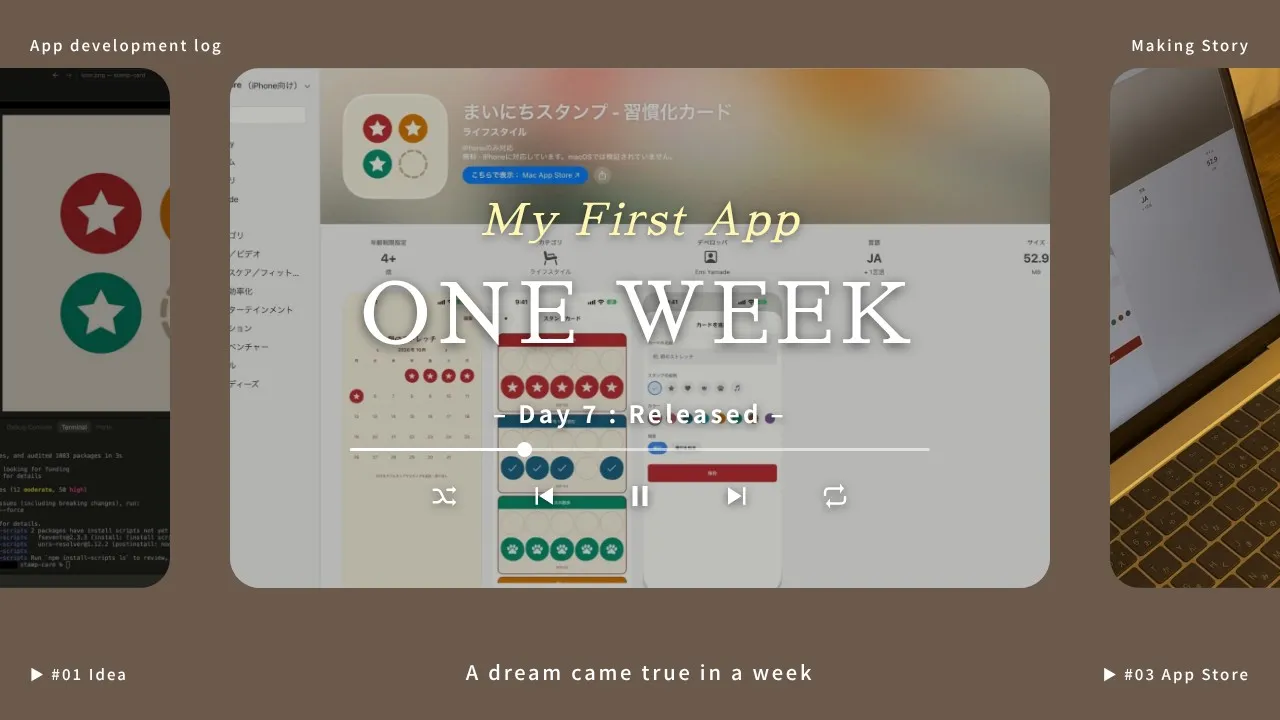
I released an iPhone app called “Mainichi Stamp” (Daily Stamp)!
Today I’d like to tell you how I came to make it and what the process was like.
I’d always thought “someday I want to make an app,” and it had been on my bucket list for a long time.
Then I learned about vibe coding (building apps and programs by talking with AI). I tried making a few small things, like a little study-log app and a shooter game, and thought, “If it’s this easy, I can make an app too.”
Like the Summer Holiday Exercise Card
When I want to turn something into a habit, I put a lot of weight on keeping a record.
▼Tips for keeping up a habit
Building Habits You Can Keep Without Forcing Yourself
For example, lately I’ve been trying to stretch every night before bed. I stick a small calendar in my planner and draw a circle on the days I do it.

That’s the kind of habit tracker I keep.
Just like the morning exercise cards from summer holidays in Japan.
I enjoy the sense of accomplishment as the stamps pile up.
But sometimes I don’t have my planner with me and forget to mark it, so I thought, what if I made it an app?
I tried it as soon as the idea came, and it was done in about two hours!
Even the implementation, after I told the AI “this is what I want to do,” I mostly left to the AI.
I only decided the UI myself.
I picked the colors I wanted from traditional Japanese colors.
To give the feeling of pressing a stamp, I made the circle shapes a little uneven, like they were done by hand, and tilted their positions.
I really wanted to add a scratchy, worn look too, but that would need image files, so I put it off.
I also added an animation when you press, so you can savor that “I did it!” feeling.
It’s simple, but I added a bit of playfulness.
The Hard Part Was Getting It on the Store
It was easy to make something that worked in my computer’s development environment.
Since I wanted to use it on my own phone too, I looked into it, and running it only on my own phone means using the pre-release test mode, which only works for a limited time.
Even for an app just for myself, if I want to keep using it, it seems I have to put it on the store.
Submitting it for review was the hardest part.
The AI takes you as far as getting the app into a form you can submit.
But you have to register as a developer, and you need to verify your identity.
When submitting the app, I had to fill in all kinds of required information.
I had to do this part myself, and it was all written in English, which made it difficult.

(If you’re releasing an app, you also need an icon. I had the AI make it.)
I had the AI translate, and with it telling me what to do next, I somehow managed to submit!
Just when I thought, “All right, submitted,” I got a message saying it would be reviewed again.
Wait, was something wrong?
When I read it carefully, it said that since this was my first time putting an app on the store, they wanted me to explain the app in more detail.
They also asked me to attach a recording of it running on a real device.
I did these one by one and resubmitted on 10/7.
I Made It Simple, So the Application Was Easy Too
Since it’s my first app, I lowered the bar as far as I could and made it something that needs none of the difficult things like security or data management.
Users don’t have to register an email address or enter any personal information.
All the app’s data is kept only on the user’s own device.
I don’t manage any information about the people using it.
There are no ads or subscription mechanisms either.
A super simple structure!
Thanks to that, there wasn’t much to fill in on the application.
After Release, I Was Almost Let Down by How Easy It Was
Two days after resubmitting, on 10/9, it was approved!

I went through the release steps, and it’s on the App Store!
It was so easy that I felt almost let down!
Because I’d thought making a smartphone app was hard!
I’d have to learn a programming language for phones, and I’d have to make the UI.
And I’d have to keep up with phone version updates too.
I kept hesitating: I want to do it… but it seems difficult…
Even if it’s a super simple app, I can’t believe I can distribute it on the App Store.
Schedule and Cost to Completion
- 9/21 (Mon): Created the repository
- 9/23 (Wed): App features nearly done
- 10/2 (Fri): Registered for the Apple Developer Program
- 10/5 (Mon): Finished up and submitted for app review
- 10/7 (Wed): Responded to the review’s questions and resubmitted
- 10/9 (Fri): Approved by Apple’s review
- 10/10 (Sat): Released on the App Store (https://apps.apple.com/jp/app/id6819159400)
- 10/11 (Sun): Version 1.0.1 also released
I worked on it in between other things, so the app itself took maybe about two hours?
Rather, from registering with Apple (10/2) to release (10/10) took about a week.
And releasing an app through Apple costs 12,800 yen (every year).
It’s obvious, but it made me realize that the programmers who release apps put in both cost and effort.
What Should I Make Next?
Next, since I read English books extensively, an app that adds up the word counts of the books I’ve read also sounds fun.
▼I put what I made afterward (a game and a health-tracking app) together here


